Appointments
Let clients book you, without the back-and-forth.
Share a booking page that only shows your real free time. Confirm, reschedule or cancel from one calendar, and your client is emailed at every step.
No credit card · Arabic and English · Cancel anytime
How it works
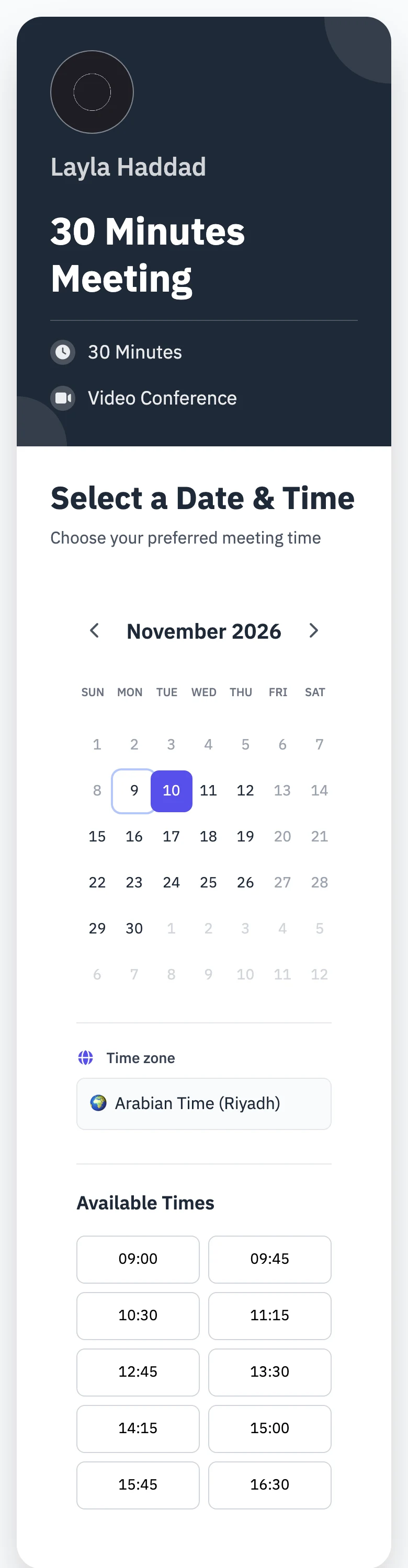
Bookings in three steps
Tell Profily when you work, share your page, and confirm what comes in.
-
 01
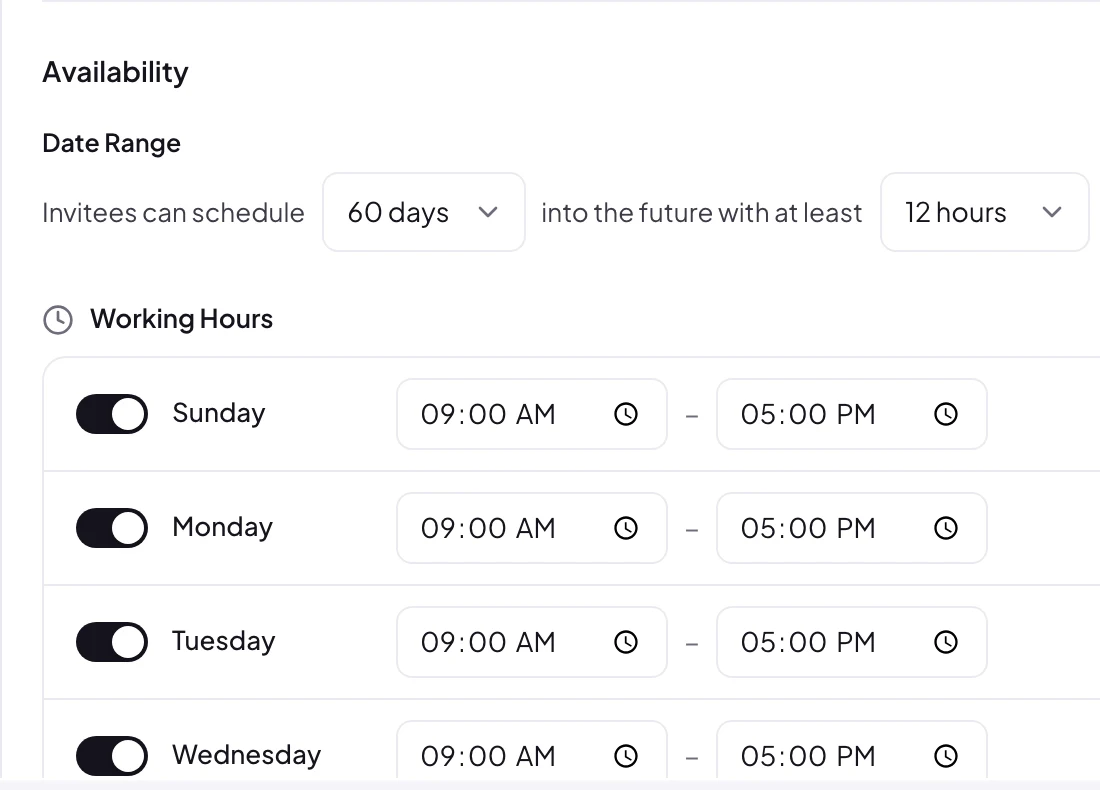
Set your hours
Choose your working days and hours, how far ahead people can book, and the notice you need.
-
layla-haddad.profily.me/calendar02
Share your booking page
Put the link in your bio, your emails or your profile. Clients pick a time in seconds.
-
 03
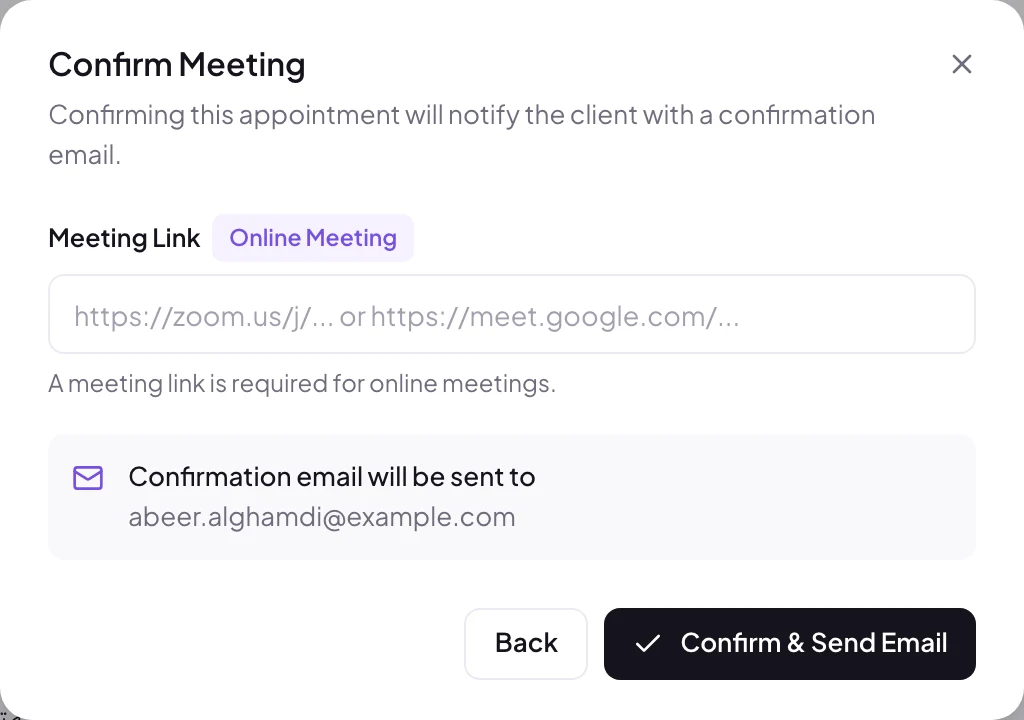
Confirm and meet
Confirm the booking, add your meeting link, and the client is emailed straight away.
Availability
Only your real free time
Your booking page builds its time slots from your own rules, so nobody books you when you are busy.
- Working hours per day
- Different hours for different days, and days off where you need them.
- Breathing room
- A default meeting length and a buffer between meetings.
- Booking window
- Choose how many days ahead people can book, and the minimum notice.
- No double bookings
- Booked and overlapping times disappear from your page automatically.
Manage
Every meeting under control
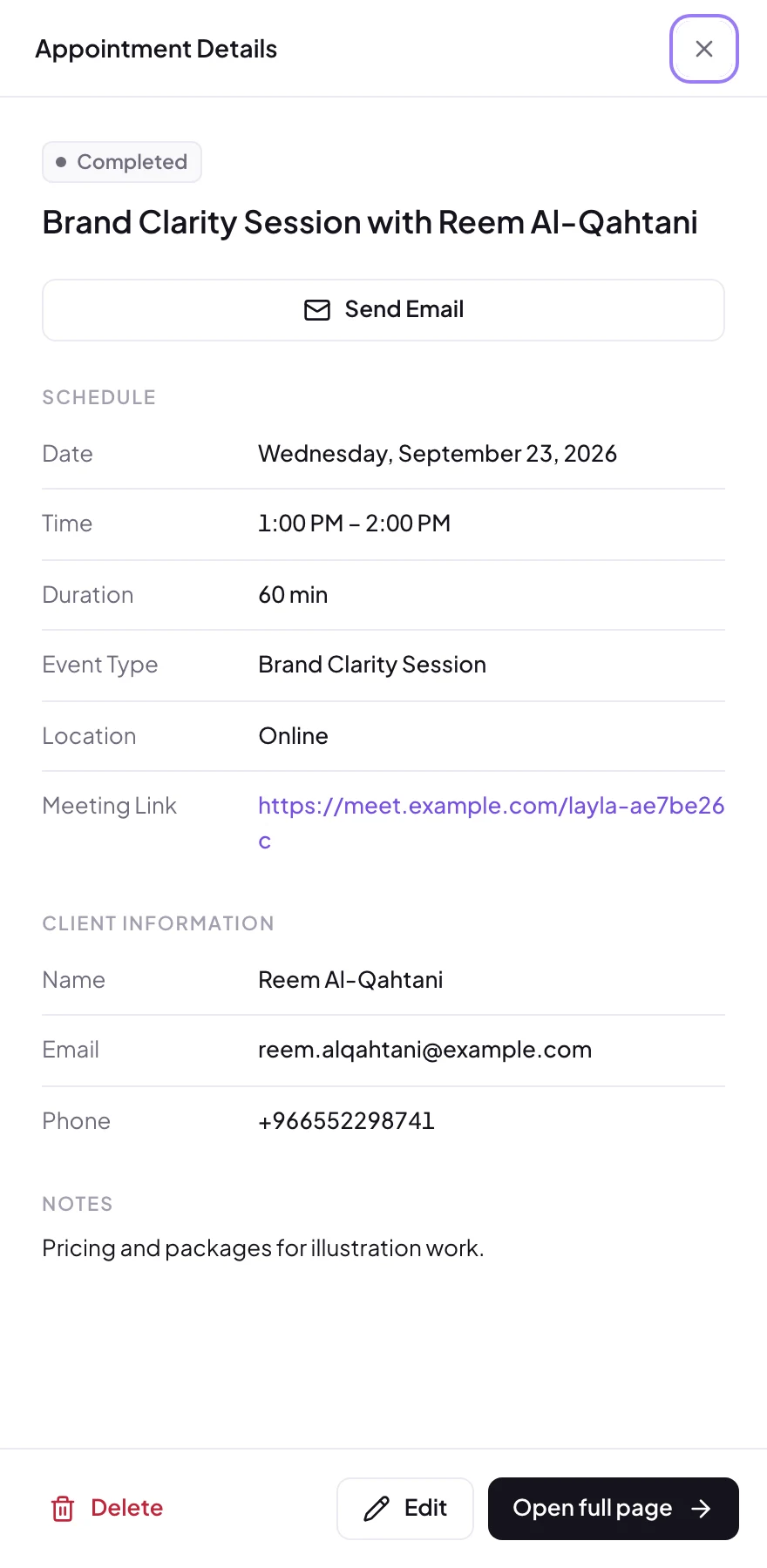
Each appointment has its details, the client's information and the actions you need.
- Confirm with a meeting link
- Add your Zoom or Google Meet link as you confirm.
- Reschedule
- Move a meeting and choose whether to email the client about it.
- Cancel
- Cancel when you need to, and the client is told by email.
- Clear statuses
- Scheduled, pending, confirmed, completed or cancelled at a glance.
Calendar
Your month in one view
See your appointments and your posts together, so you always know what is coming.
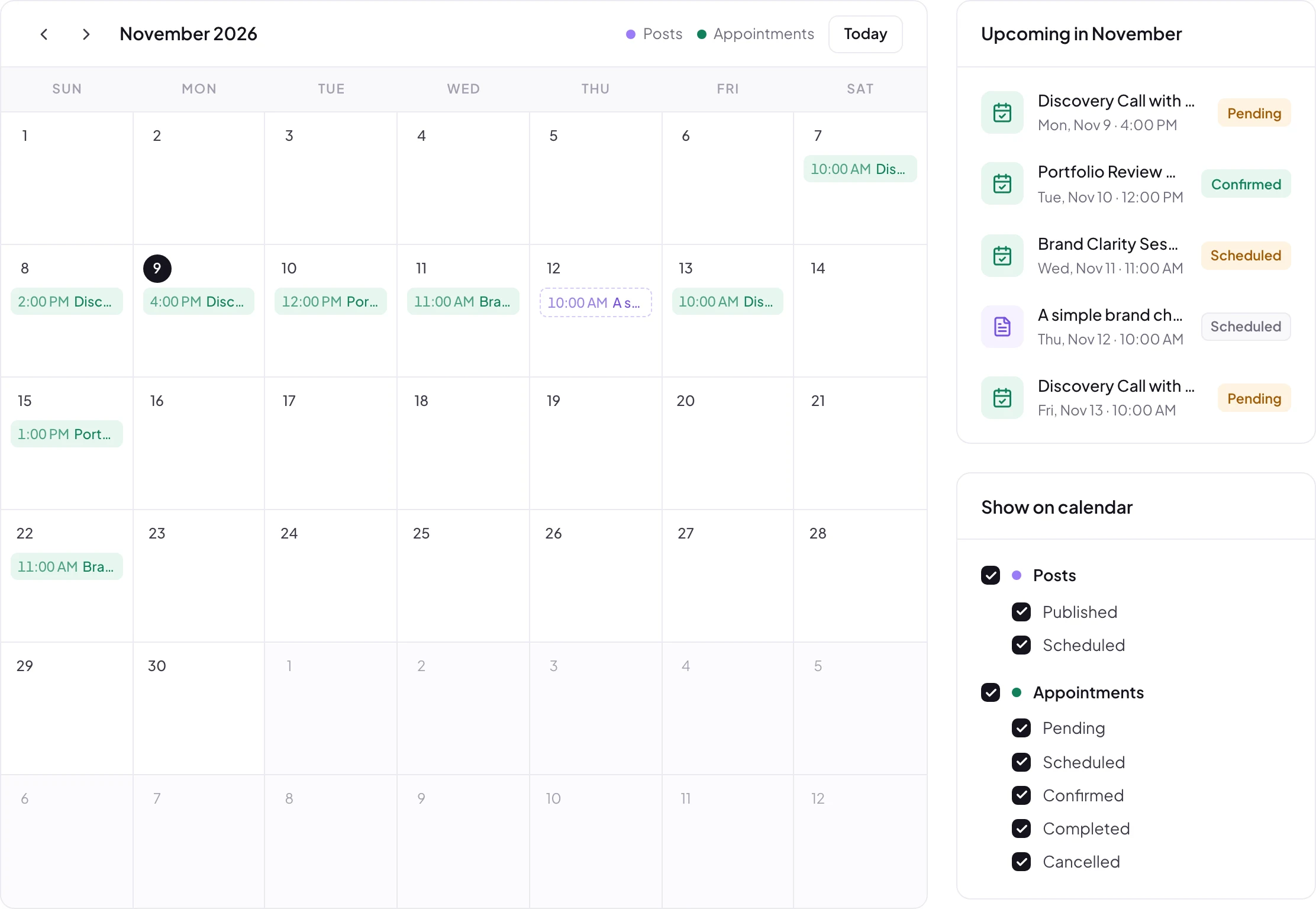
Month at a glance
Every appointment on the day it happens, with what is coming up next.
Posts too
Published and scheduled posts sit beside your meetings.
Filter by status
Show only what you need, from pending to completed.
Emails
Everyone stays in the loop
Clients hear from you at every step, and you hear about every new booking.
- Clear confirmation emails
- With the date, time, location and your meeting link.
- Easy to add to a calendar
- Each email includes a Google Calendar link and a calendar file.
- Alerts for you
- A notification for every booking, and an email if you want one.
And there's more
Small things that make booking easy
No sign-up for clients
Clients book with their name and email, no account needed.
Time zone shown
Your page shows the time zone the times are in.
Any location
Online, at your office, by phone, or somewhere else.
On your Link in Bio
Visitors can book straight from your Link in Bio page.
Paid sessions
Sell 1:1 coaching in your store; buyers get a link to book.
Minimum notice
No surprise bookings an hour before they start.
Does it sync with Google Calendar?
Not yet. Your bookings live in your Profily calendar, and every confirmation email includes an Add to Google Calendar link and a calendar file your client can open.
How do video meetings work?
When you confirm an online meeting, you add your Zoom or Google Meet link, and it is included in the email to your client.
Do my clients need an account?
No. They pick a time and enter their name and email. That's all.
Can I charge for sessions?
Yes. Sell a 1:1 coaching product in your Profily store; after paying, the customer gets a link to book their session.
Is booking included in my plan?
Direct booking depends on your plan. See Pricing for the details.
Stop scheduling by message
Share your booking page today and let clients pick the time.
No credit card needed. Cancel anytime.